Expenses
Record day-to-day shop costs such as rent, electricity and salaries, and see totals by date and category.
#What counts as an expense
Use expenses for money you spend running the shop that is not buying stock: rent, electricity, tea, transport, repairs and so on. Buying goods for resale goes in Purchases.
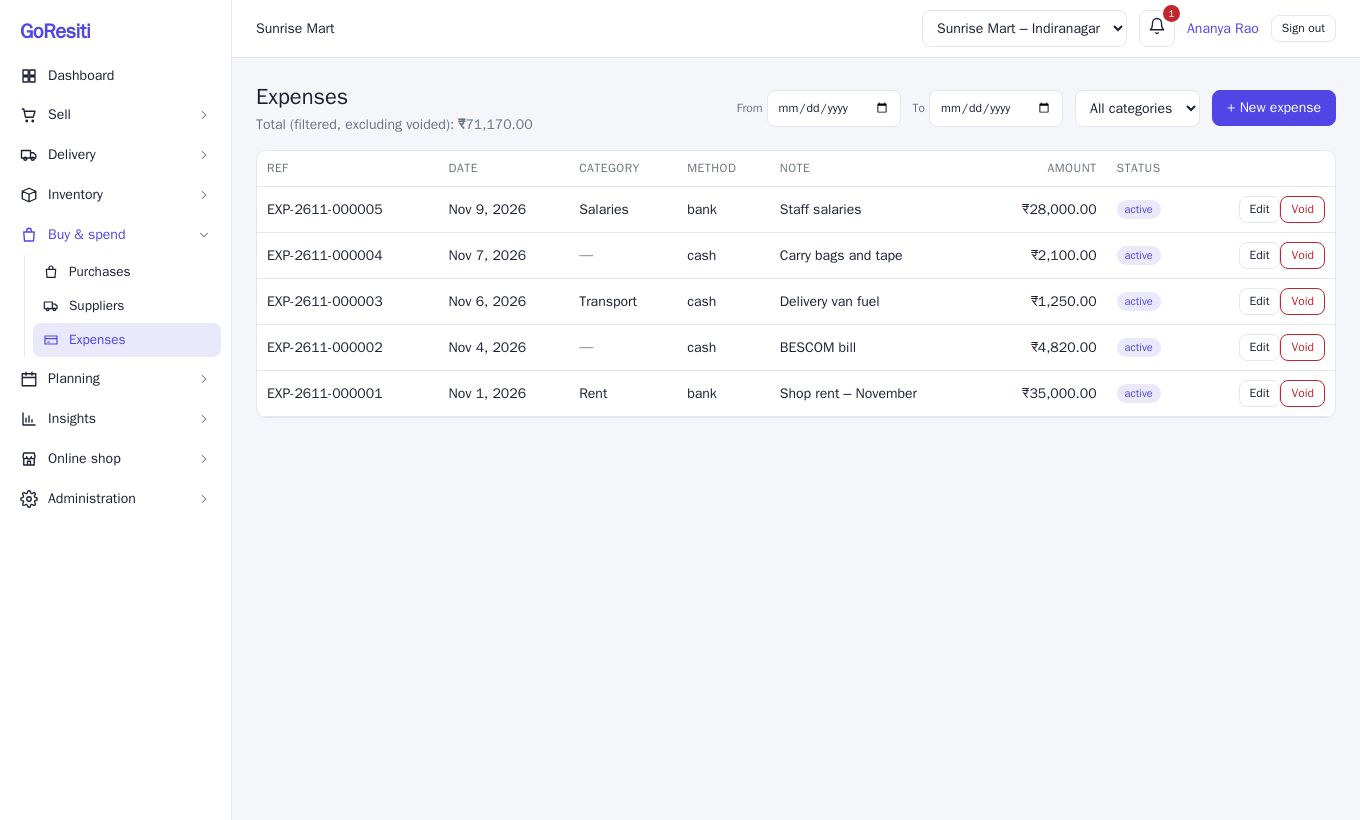
Open Buy & spend → Expenses. At the top you see the total for what is on screen, not counting voided entries. The list shows Ref, Date, Category, Method, Note, Amount and Status.
#Filtering
Use From and To dates and the category drop-down to answer questions like "How much did we spend on electricity this quarter?". The total at the top updates to match.
#Recording an expense
- Click + New expense.
- Pick the Store, Category and Date.
- Enter the Amount. This is required.
- Choose how you paid in Paid via: cash, upi, card, bank or other.
- Add a Reference (such as a UPI transaction number) and a Note if you like.
- Click Save.
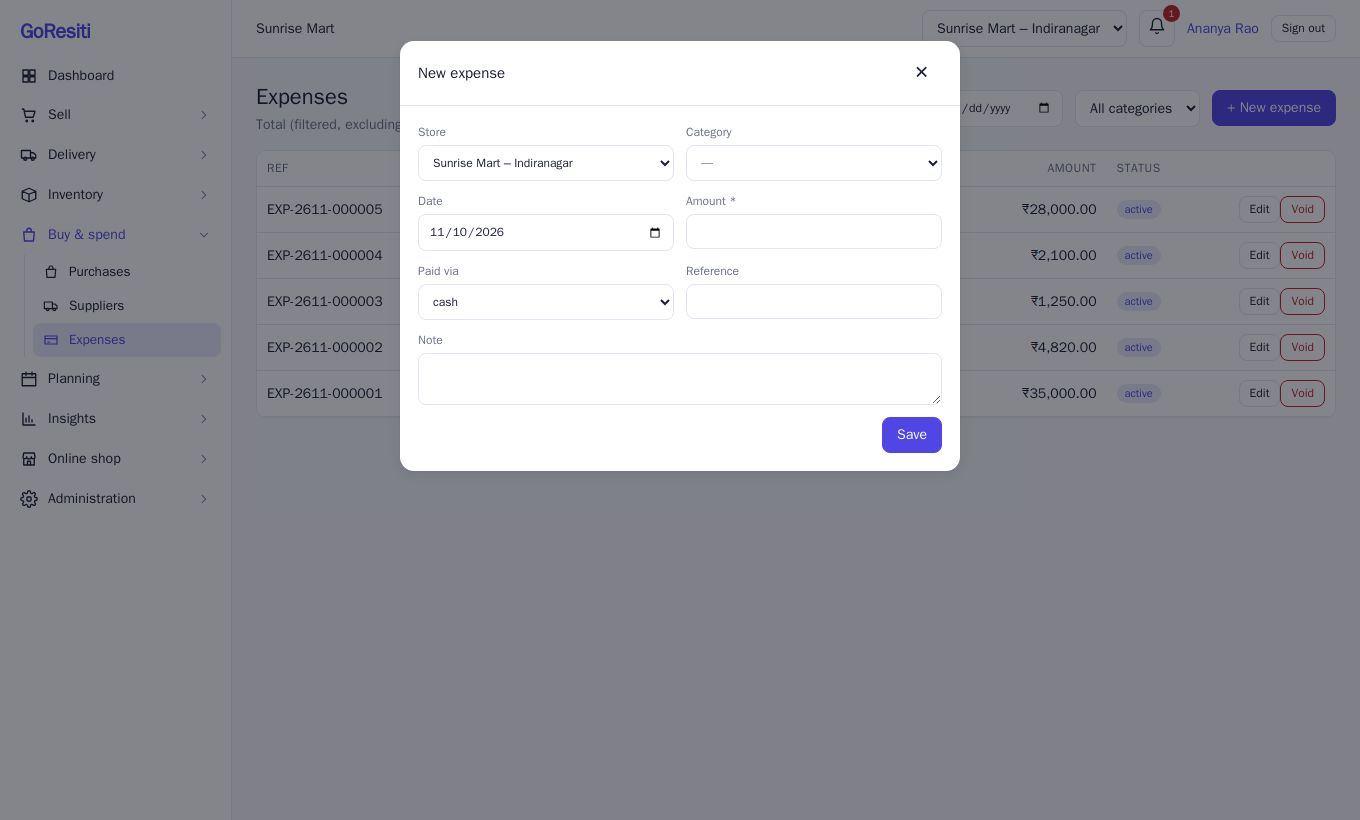
Each expense gets a reference number automatically.
#Expense categories
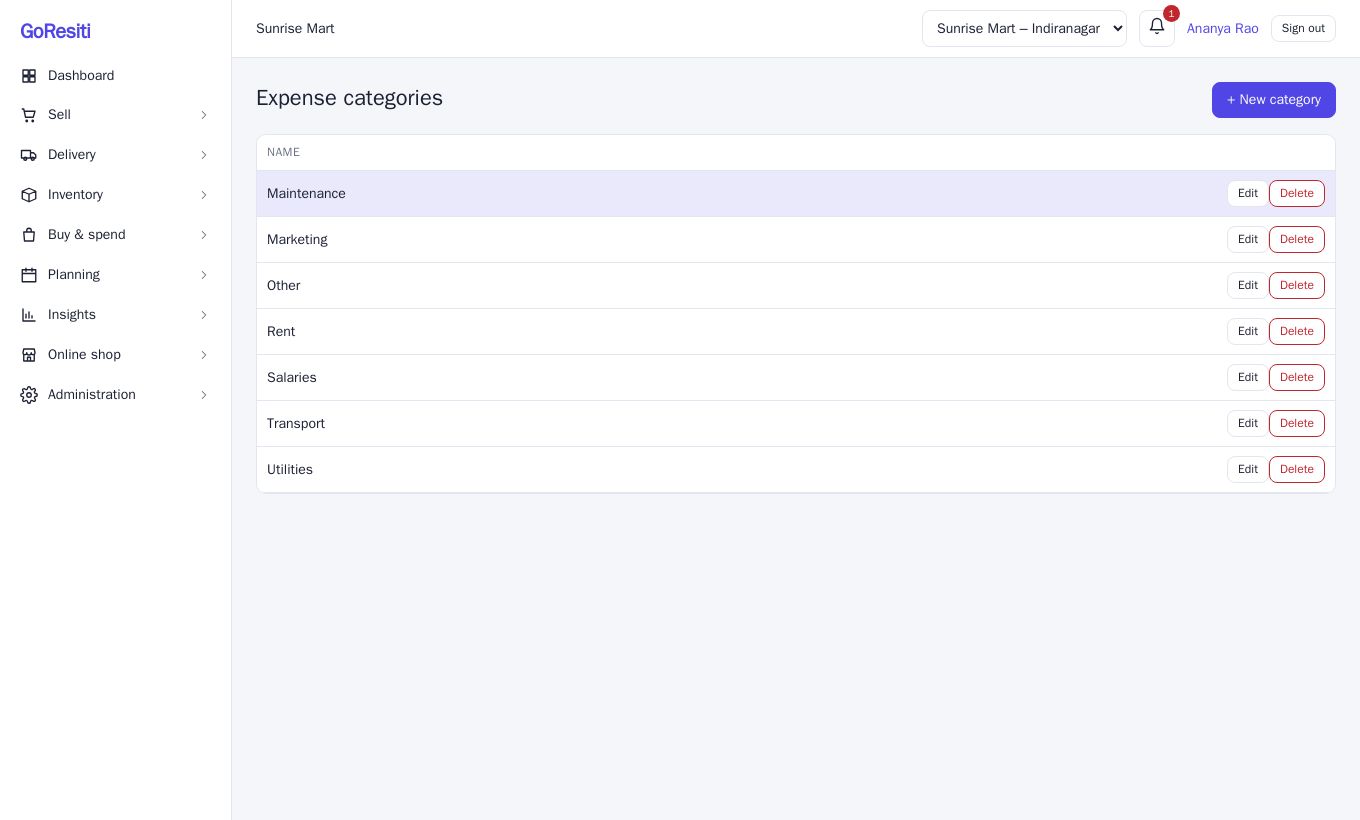
Categories keep your spending organised and make reports clearer. Open Expense categories from the Buy & spend menu (or the settings area), then add a Name such as Rent, Electricity or Salaries. Managing categories needs settings permission.
#Editing and voiding
- Click Edit to fix a mistake in an active expense.
- Click Void if an expense should not count at all. You will be asked for a reason. Voided expenses stay in the list, faded, with a voided status, are left out of totals, and cannot be edited.
#Seeing expenses in reports
Your expenses feed into your profit reports. See Reports.