Quotations
Send customers a priced quote and turn it into a sale when they say yes.
A quotation is a priced offer you give a customer before they buy. It does not touch your stock or your sales totals until you convert it. Quotations are available on the Growth plan and above (see Plan and billing). Open them from Sell → Quotations.
#The quotations list
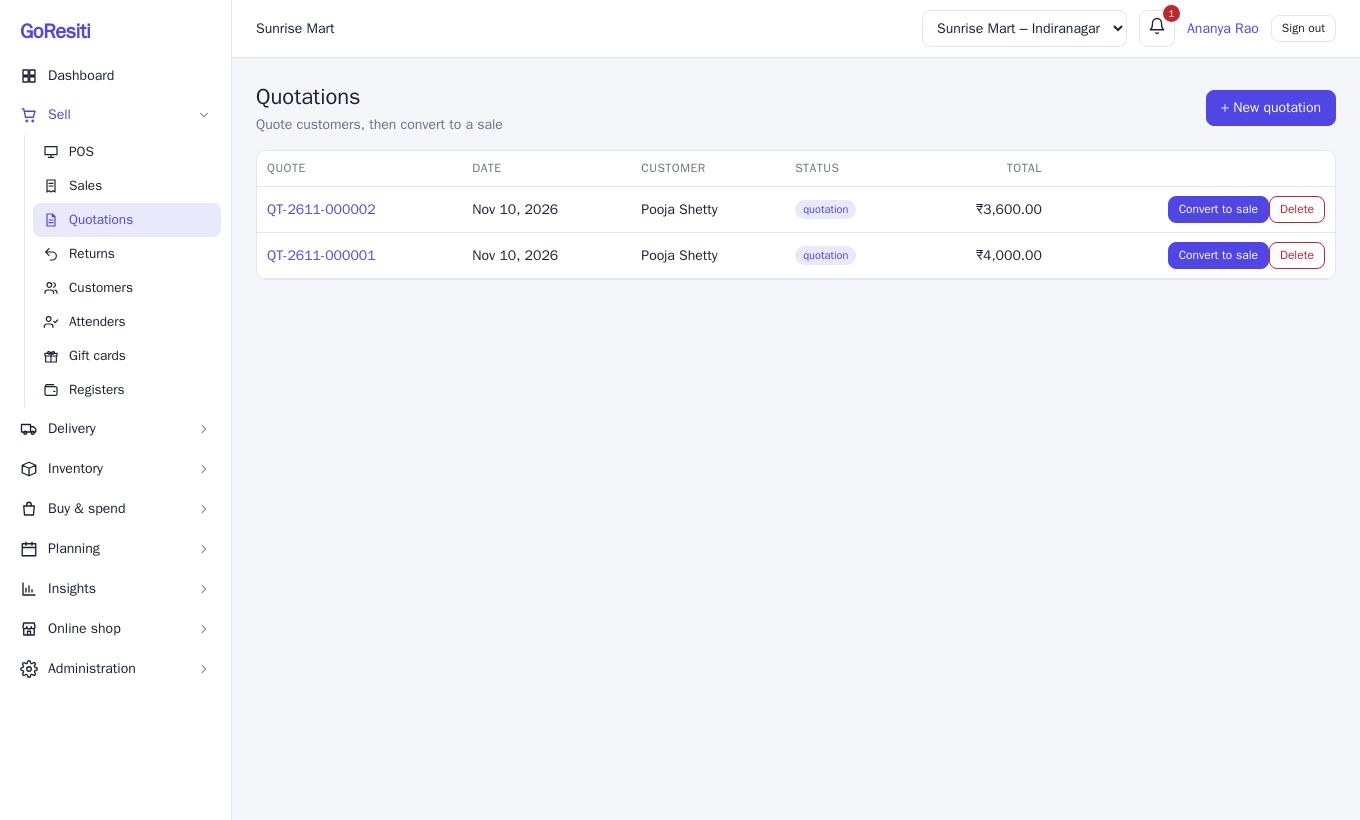
Each row shows the Quote number (they start with QT), Date, Customer, Status and Total. The status is quotation while the offer is open and converted once it has become a sale.
#Create a quotation
You need the quotations.manage permission.
- Click + New quotation.
- Pick the Customer, or leave it blank. Add a Note if you wish.
- In the first line, choose a Product and enter the Quantity.
- Click + Add line for more products. Remove deletes a line.
- Click Save quotation.
Totals and GST are worked out when you save, using the current prices. If the customer belongs to a group with a discount, it is applied.
Click the quote number to open it. From there you can print it or Download PDF to share with the customer.
#Convert a quotation to a sale
When the customer accepts:
- On the list, click Convert to sale on that row (needs sales.create).
- The quote becomes a normal sale with a new invoice number, and you land on its detail page.
At this point stock is deducted. The new sale is unpaid, so collect the money from the sale page using Collect, or leave it as a credit sale. See Sales and invoices.
#Delete a quotation
Click Delete on a quote that is still open. A converted quote cannot be deleted because a real sale now exists.