Gift cards
Issue prepaid gift cards, check balances and let customers pay with them at the POS.
A gift card is a prepaid code. You sell or give one for a set amount, and the customer spends it down over one or more purchases. Gift cards are available on the Growth plan and above (see Plan and billing). Open them from Sell → Gift cards.
#The gift cards list
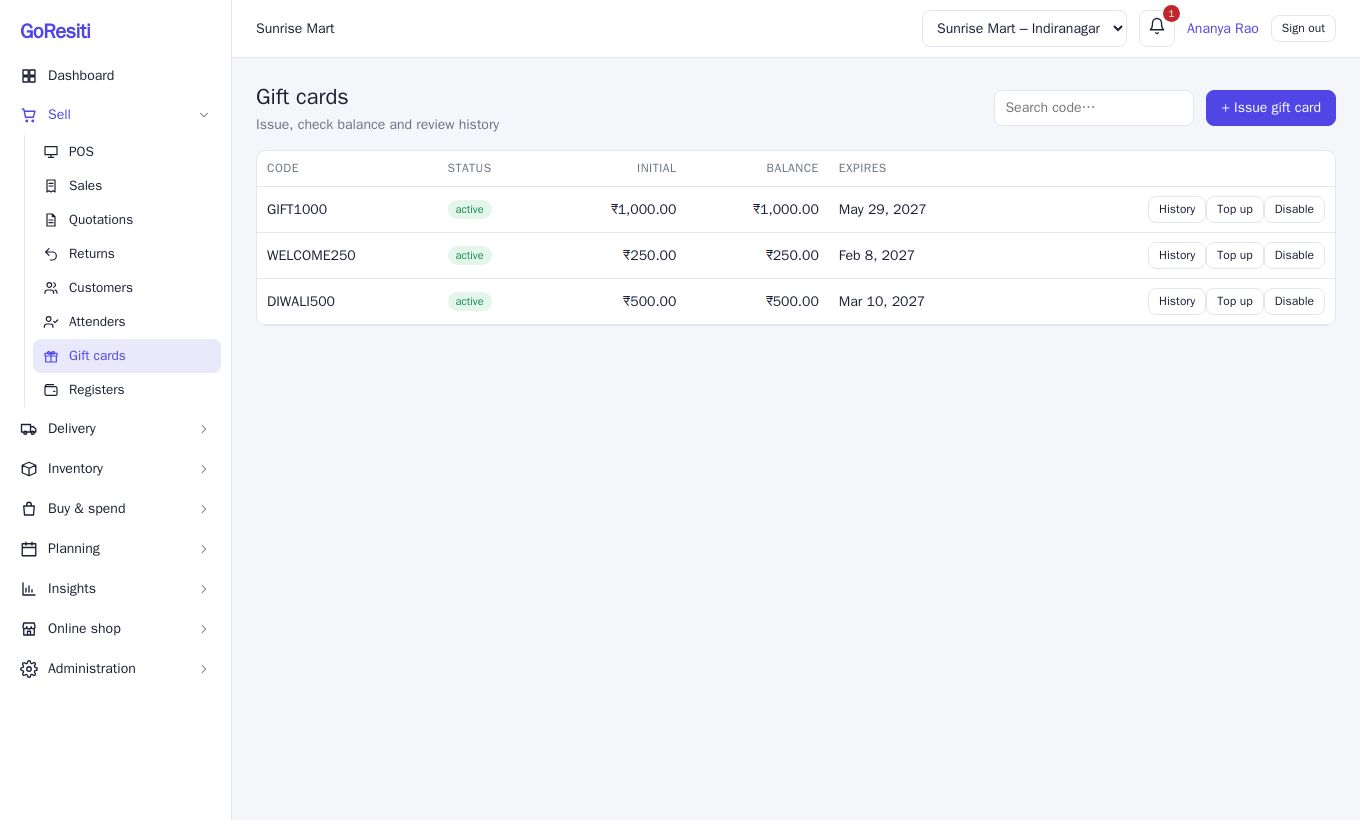
Each card shows its Code, Status (active or disabled), Initial amount, current Balance and Expires date. Type in Search code… to find one. You need giftcards.view to look and giftcards.manage to issue and change cards.
#Issue a gift card
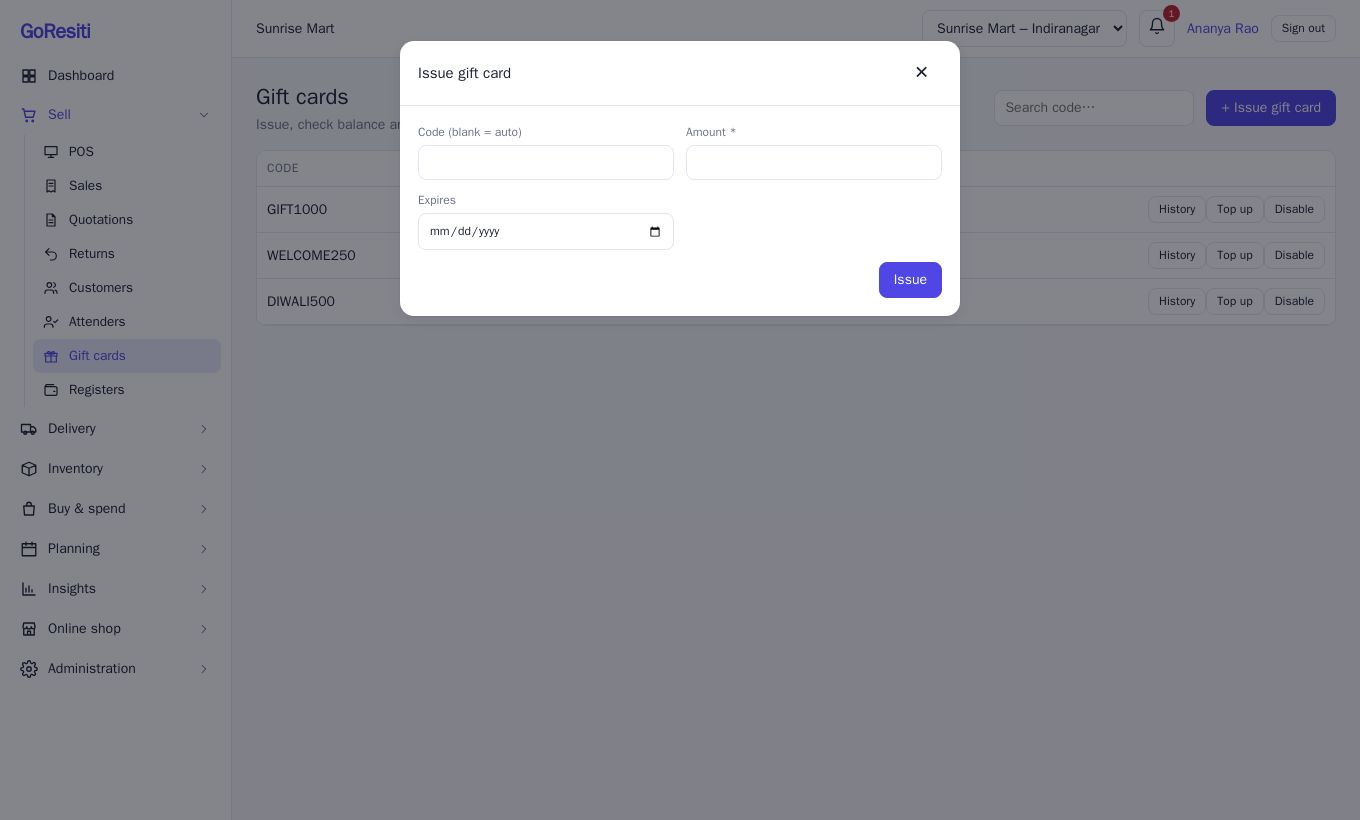
- Click + Issue gift card.
- Leave Code (blank = auto) empty to get a random code, or type your own (at least 4 characters, such as DIWALI500). Codes are stored in capitals.
- Enter the Amount.
- Optionally pick an Expires date.
- Click Issue.
The card starts with a balance equal to the amount. Take payment for the card from the customer in your usual way and hand them the code. Issuing a card in GoResiti only creates the card and its balance.
#Check a balance
- On this page, the Balance column is always current. Click History to see every movement: when it was issued, topped up, spent and on which invoice.
- At the POS, choose gift card as the payment method, type the code and click outside the box. The balance appears next to it ("Balance 500") or "Not found" if the code is wrong.
#Redeem a gift card at the POS
- In the Payment window, click gift card.
- Type the Gift card code. The amount is set to the smaller of the bill and the card balance.
- If the card does not cover everything, add another method such as cash or UPI for the rest. See Point of sale (POS).
- Click Complete sale.
The amount is taken off the card straight away. A card can never be overspent, even if two cashiers use it at the same moment.
#Top up, disable and enable
- Top up adds more money to an active card. You are asked for the amount.
- Disable blocks the card, for example if it is lost. Enable turns it back on. A disabled card cannot be used or topped up.
#Expiry
If you set an Expires date, the card is rejected at checkout after that date with "Gift card is invalid or expired". Leave the date empty for a card that never expires. The expiry date is set when issuing, and the remaining balance on an expired card is not usable.
#If a sale is voided
When you void a sale that was paid with a gift card, the amount goes back onto the card. See Sales and invoices. Gift cards cannot be used to settle a balance later on a credit sale. Use them at checkout.