Registers
Open and close cash register sessions, record cash in and out, and review each shift's count and variance.
A register session is one cashier's shift on one cash register. Everything sold, refunded or moved in and out of the drawer during the shift is tied to it, so at closing time you can see whether the cash in the drawer matches what it should be.
#Open a session
Sessions are opened from the POS.
- Go to Sell → POS.
- Choose the Register and enter the Opening cash you counted in the drawer.
- Click Open register.
Rules: a register can have only one open session at a time, and one person can have only one open session at a time. Registers themselves (for example "Register 1") are set up per store under Stores.
Your owner can decide whether sales need an open session by ticking Require an open register session for POS sales in Settings → Business.
#Cash in and cash out
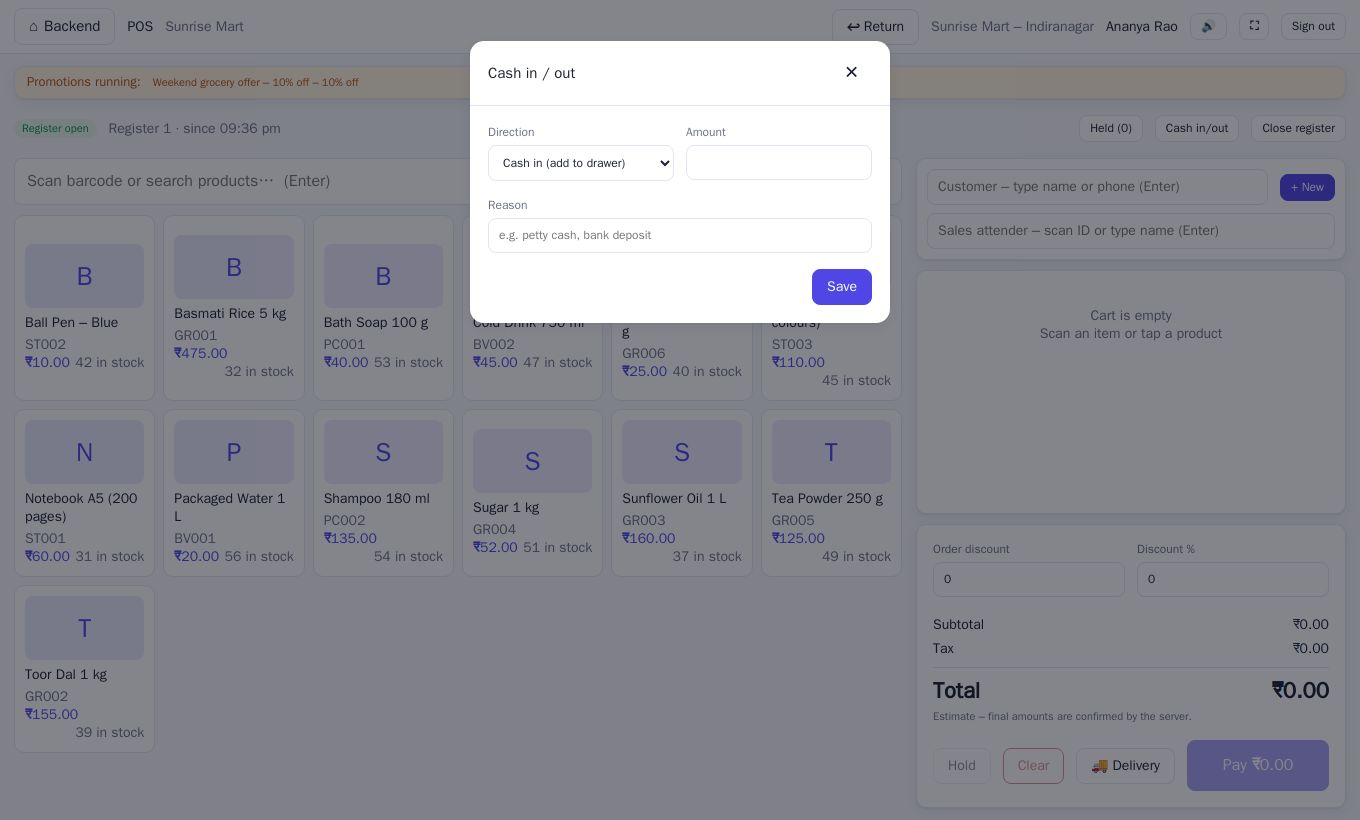
If you add or remove cash during the shift, record it so the count stays correct.
- On the POS, click Cash in/out.
- Choose Cash in (add to drawer) or Cash out (take from drawer).
- Enter the Amount and a Reason, for example "petty cash" or "bank deposit".
- Click Save.
#Close the register
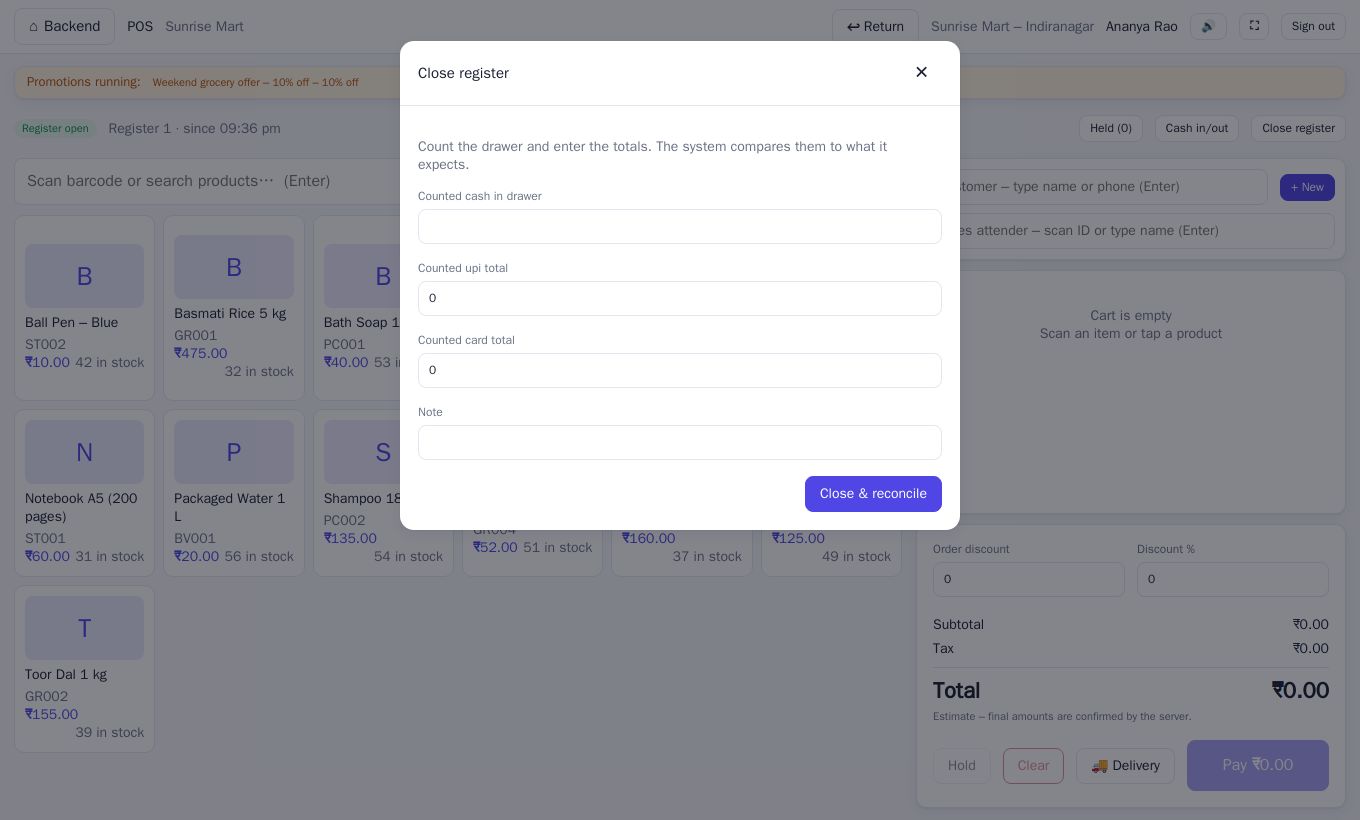
At the end of the shift:
- On the POS, click Close register.
- Count the drawer and enter Counted cash in drawer.
- If you took other payment types, a box appears for each, such as Counted card total or Counted upi total. Enter what your card machine or app shows.
- Add a Note if you wish, then click Close & reconcile.
You then see the Register report.
| Line | Meaning |
|---|---|
| Opening cash | What you started with |
| Cash sales | Cash received from customers |
| Cash refunds | Cash given back on returns |
| Cash in / out | Money you added or removed |
| Expected cash | Opening + cash sales − refunds + cash in − cash out |
| Counted cash | What you counted |
| Variance | Counted minus expected |
A variance of zero is shown in green. Anything else shows in red: a positive number means extra cash, a negative number means cash is short. The report also lists sales and refunds By payment method. Click Done to finish.
#Manager review
Managers review shifts on the Register sessions page (Sell → Registers).
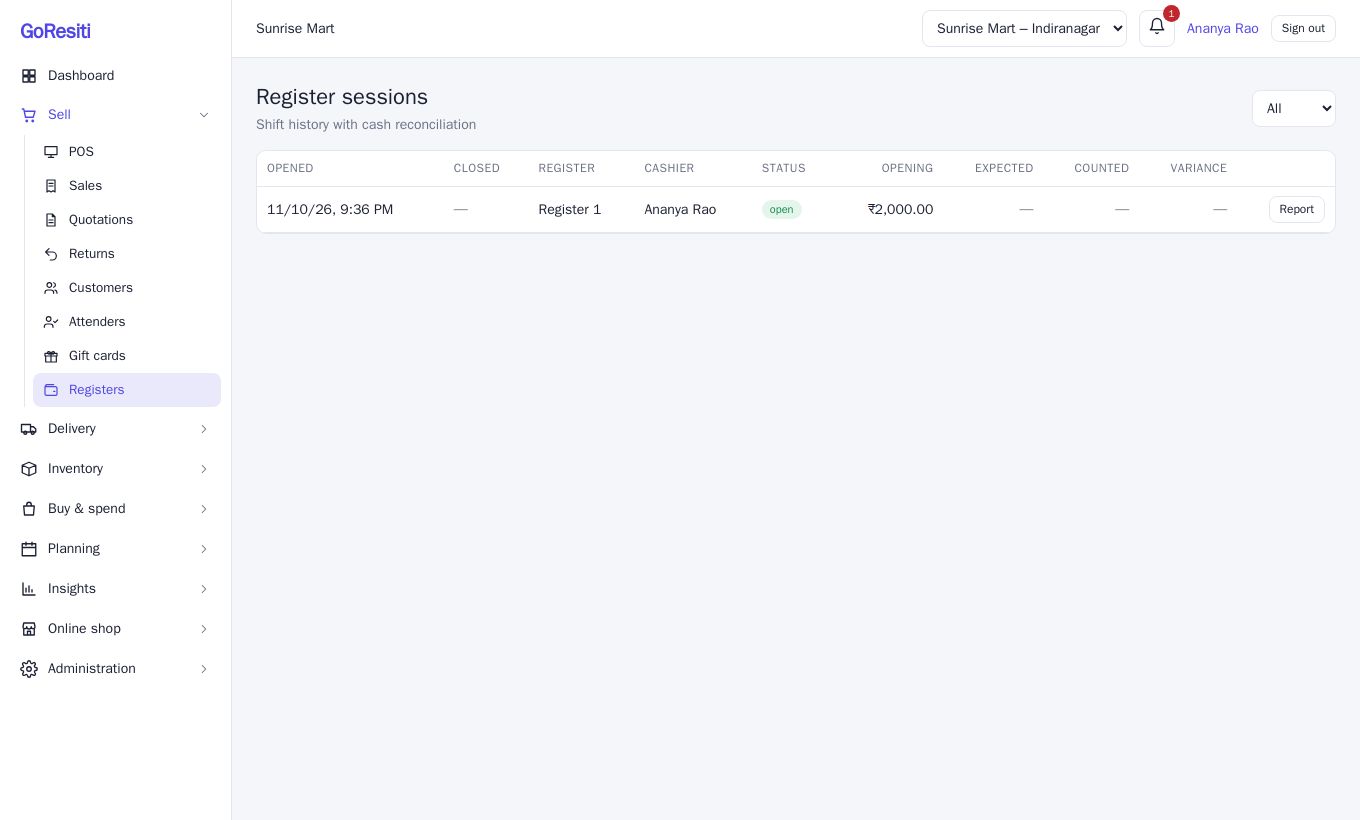
Each row shows when it was Opened and Closed, the Register, the Cashier, Status (open or closed), Opening, Expected, Counted and Variance. Use the filter at the top to show Open or Closed sessions only. Click Report for the full breakdown, including the cashier's closing note.
Who sees what:
- People with registers.review see every cashier's sessions.
- People with only registers.view (cashiers) see their own.
A manager with registers.manage can also record cash movements or close a session that belongs to someone else, for example when a cashier left without closing. See Users and roles.
#Signing out
If your register is still open when you click Sign out on the POS, you are asked to confirm. Closing first is better practice.