A tour of the app
Find your way around GoResiti: the sidebar, store switcher, notifications, your account menu and using it on a phone.
#The main screen
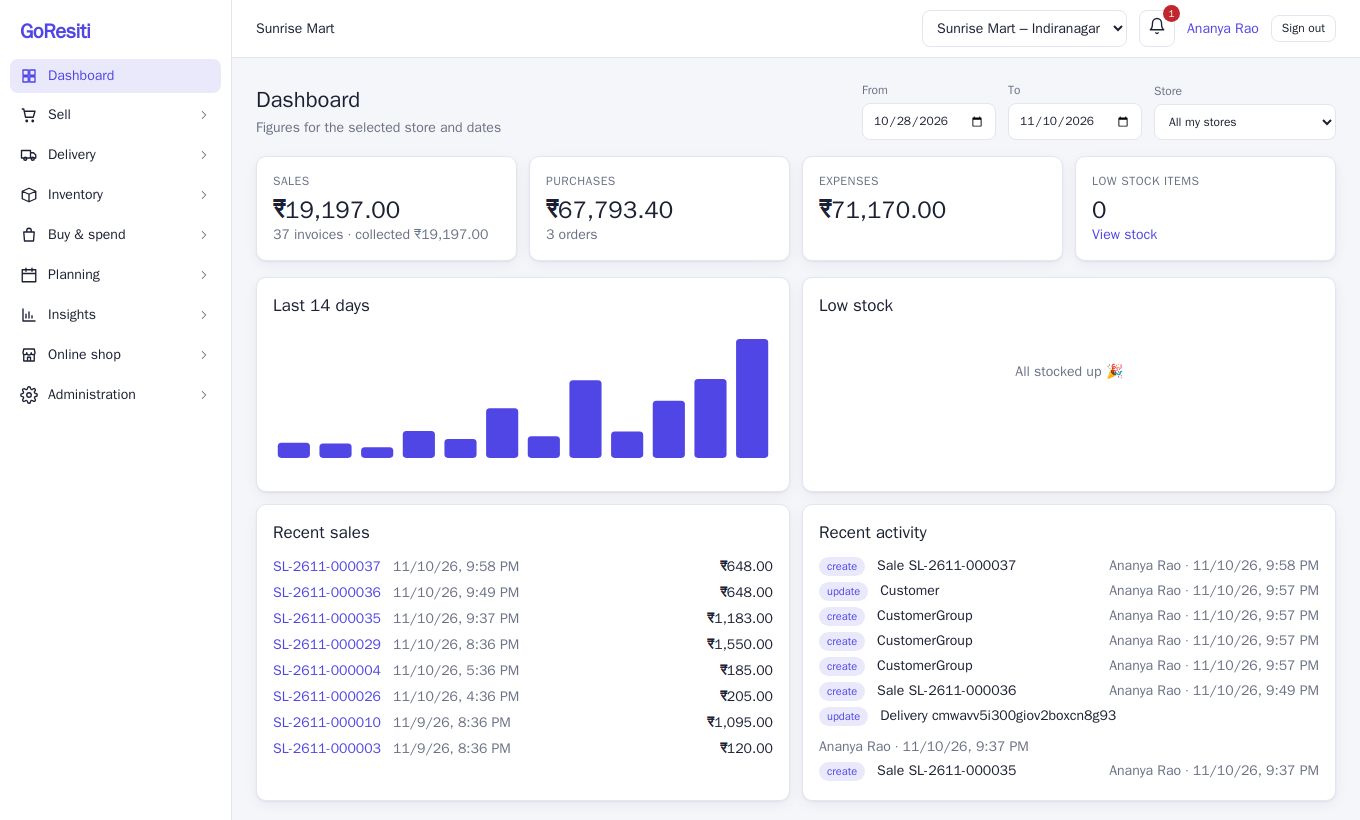
Once you sign in, the screen has three parts: a sidebar on the left, a top bar across the top, and the page in the middle.
#The sidebar
The sidebar groups related pages together. Click a group name to open or close it; the app remembers which groups you left open.
| Group | What is inside |
|---|---|
| Dashboard | Today's figures: sales, purchases, expenses, low-stock items, a 14-day chart and recent activity. |
| Sell | POS, Sales, Quotations, Returns, Customers, Attenders, Gift cards, Registers. |
| Delivery | Deliveries and delivery Agents. |
| Inventory | Products, Stock, Categories, Brands, Units, Taxes. |
| Buy & spend | Purchases, Suppliers, Expenses. |
| Planning | Calendar, Notifications. |
| Insights | Reports. |
| Online shop | Coupons, Shipping, Sliders, Content pages. |
| Administration | Users, Roles, User groups, Stores, Customer groups, Plan & billing, Settings, Activity log. |
#The top bar
- Shop name on the left, with a Trial badge if you are still on the free trial.
- Store switcher: if you work in more than one store, a drop-down lists them. Pick the store you are working in; the POS, stock and sales you see follow your choice. If you only have one store, its name is shown instead. See Stores.
- Notification bell: a red number shows unread messages. Click it to read them. Owners and managers can create scheduled messages under Notifications.
- Your name: opens your profile.
- Sign out.
#Plan banner
Sometimes a coloured bar appears above the top bar. It warns you that your trial or plan is about to end, or has ended. Click View plan to go to Plan and billing.
#Why some menu items are missing
You only see what you are allowed to use. Two things decide this:
- Your role and permissions. A cashier may see only POS and Sales; a manager may see Reports too. The owner controls this under Users and roles. If you need a page you cannot see, ask your owner.
- Your plan. Some features are part of the Growth or Business plan only, such as quotations, returns, gift cards, deliveries, attenders, the calendar, activity log and the online shop. If your plan does not include a feature its menu item is hidden. If you open a page directly you are shown which plan you need. See Plan and billing.
#Using GoResiti on a phone
GoResiti works in the browser on any phone or tablet, with nothing to install.
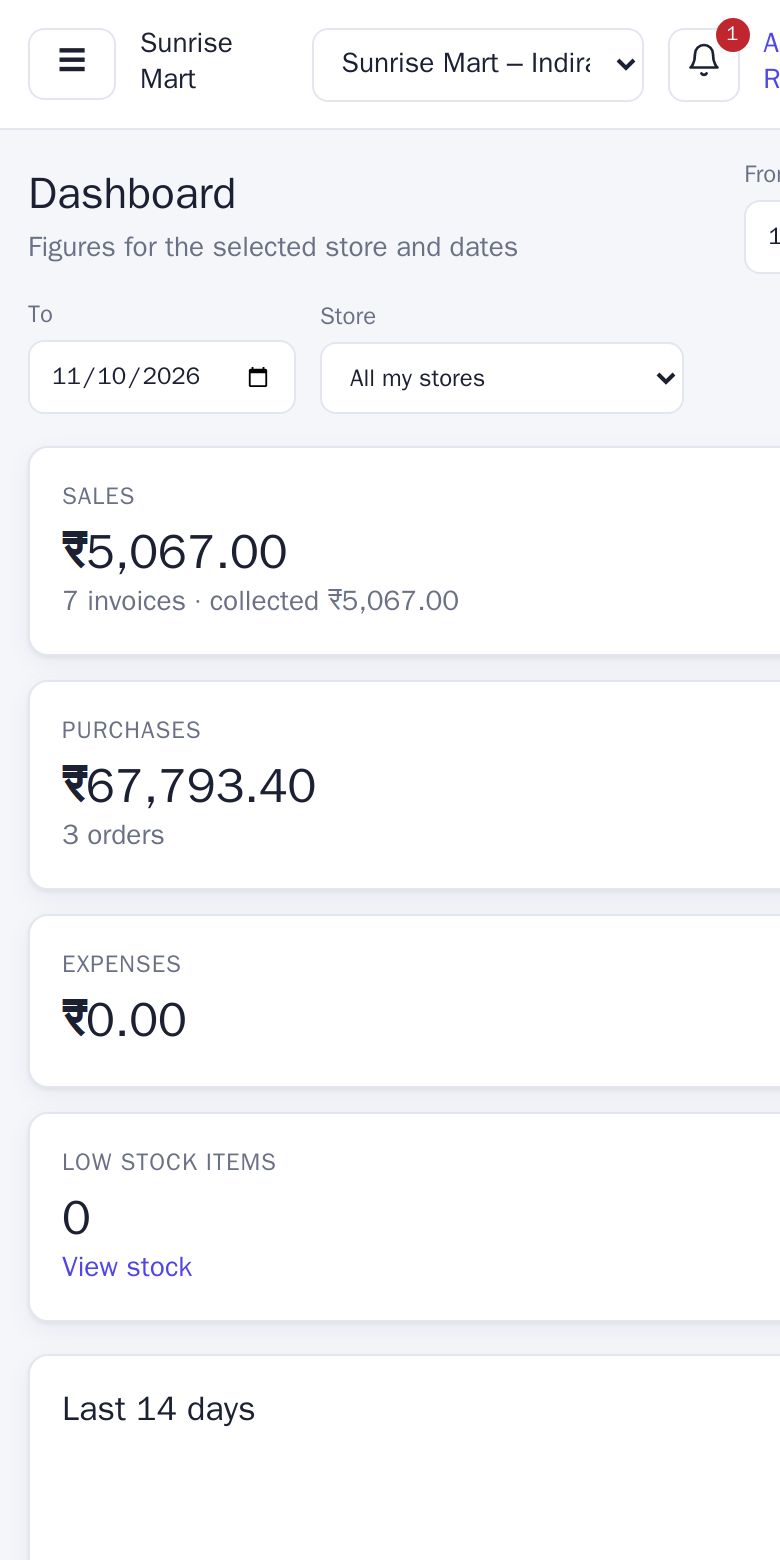
On a small screen the sidebar is hidden. Tap the menu (☰) button at the top left to open it, and tap a page to go there; the menu closes by itself.
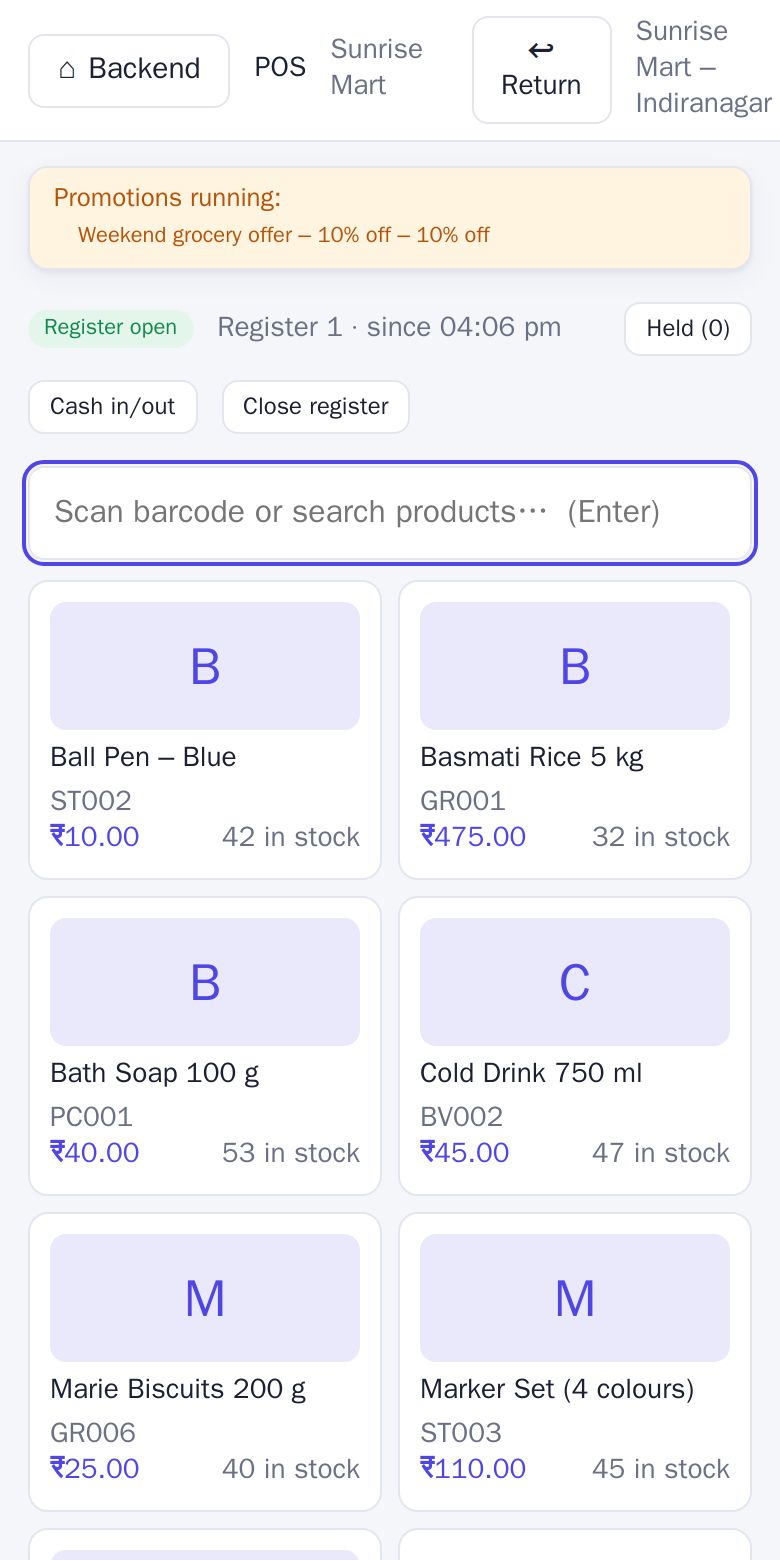
The POS is designed for touch. Products appear as big tiles, and there is a search box that also accepts a scanned barcode. Along the top are Backend (back to the main app), Return and the store name; below are the register status, Held bills, Cash in/out and Close register.